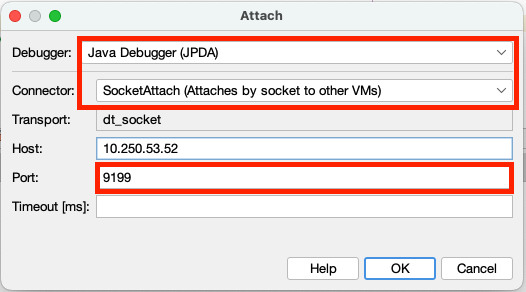
IDE configuration
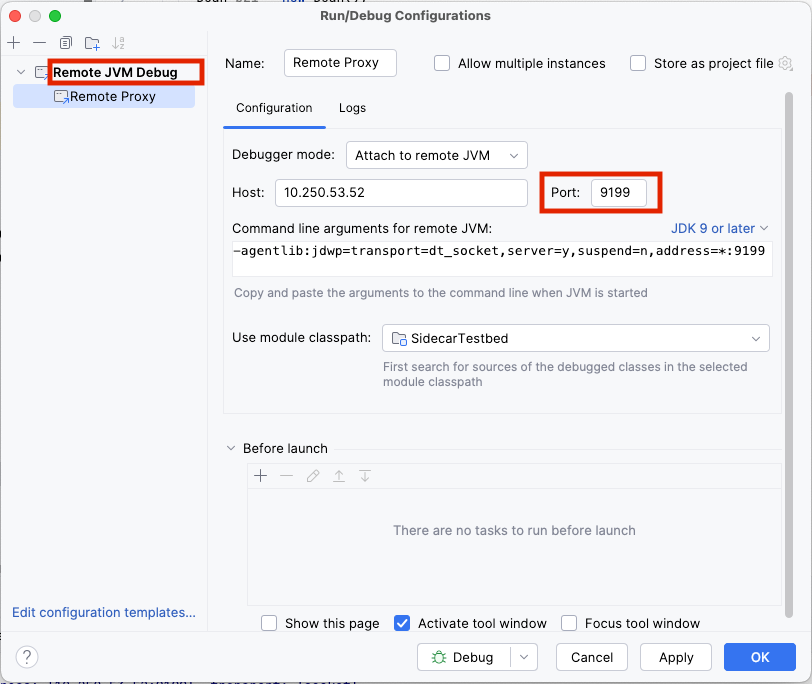
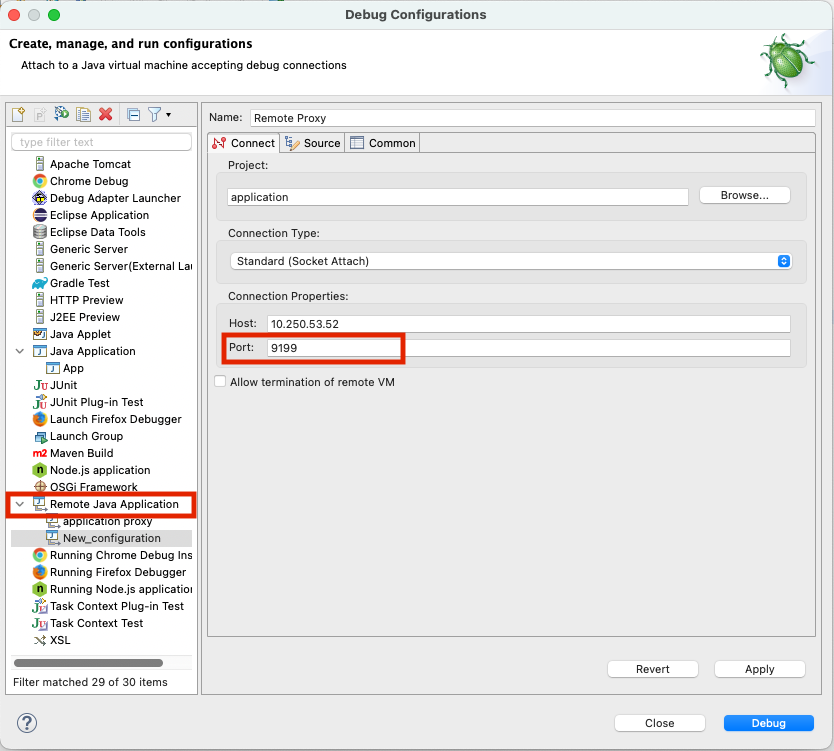
Configure remote debugging in the IDE. Supply the target host address and JRebel Debugger Proxy (JDP) port instead of the original JDWP port.
Important
You must run the IDE either without the JRebel plugin or with JRebel plugin version 2025.4.1+.
IntelliJ IDEA
Eclipse
VS Code
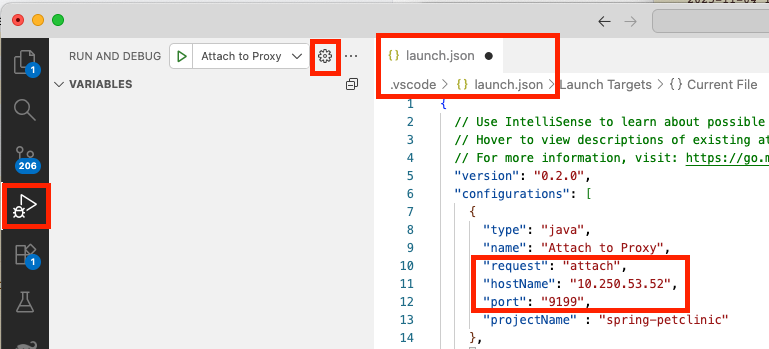
In .vscode/launch.json, under the project directory, create a "configurations" element:
Tip
Alternatively, pre-initialize the "configurations" element in the UI by selecting RUN AND DEBUG > Add Configuration… > Java: Attach to Remote Program.
Ensure that
request: = attach.Fill in the
hostNameandport.To use Hot Code Replacement during debugging, add the name of the current project as
projectName.
NetBeans
From the main menu, select Debug > Attach Debugger… and fill in the dialog.