XRebel for VS Code
Installing the JRebel & XRebel extension for VS Code
Install from VS Code Extensions
In VS Code, click View > Extensions.
Search for the “JRebel & XRebel” extension.
Click Install.
Install from the VSIX file
In VS Code, click Extensions >
 Views and More Actions > Install from VSIX.
Search for “Extensions: Install from VSIX”.
Find the VSIX file for the JRebel & XRebel extension and click Install. If prompted, restart VS Code to complete the installation.
The JRebel extension icon will appear in the sidebar.
Activating the JRebel & XRebel extension for VS Code
Activate a free trial for XRebel
In VS Code, use the activation pop-up dialog for the JRebel & XRebel extension.
Activate a commercial license for XRebel
Run your application with XRebel enabled.
Open your web application. The XRebel activation dialog will appear.
Enter your commercial license details and submit the form.
Running the JRebel & XRebel extension for VS Code
If your project has a class that contains a static main method (main class), run XRebel using one of the following methods.
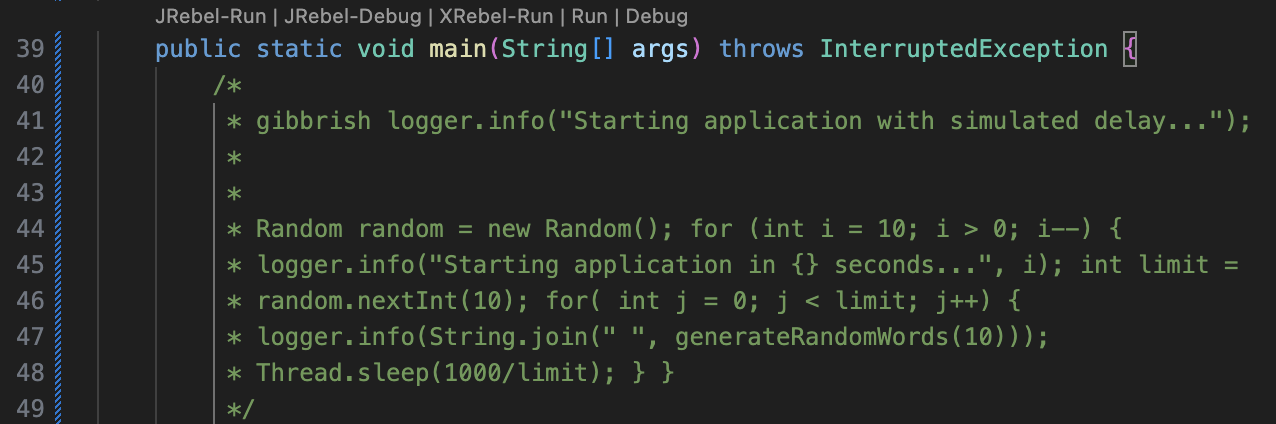
Run XRebel using the code lens
In VS Code, open your project.
In the editor view, above a
mainmethod in your project, click XRebel-Run.
Run XRebel using the Run menu
In VS Code, open your project.
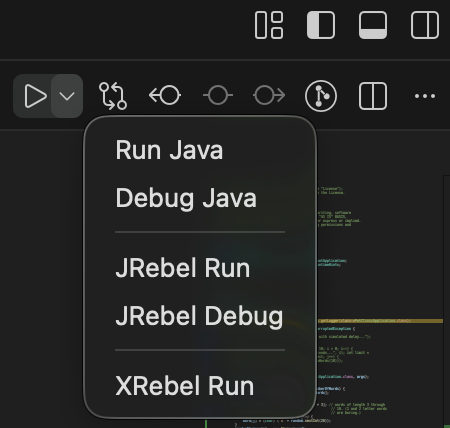
Click Run > XRebel Run.